Treeswing
A local development tool for design review across worktrees
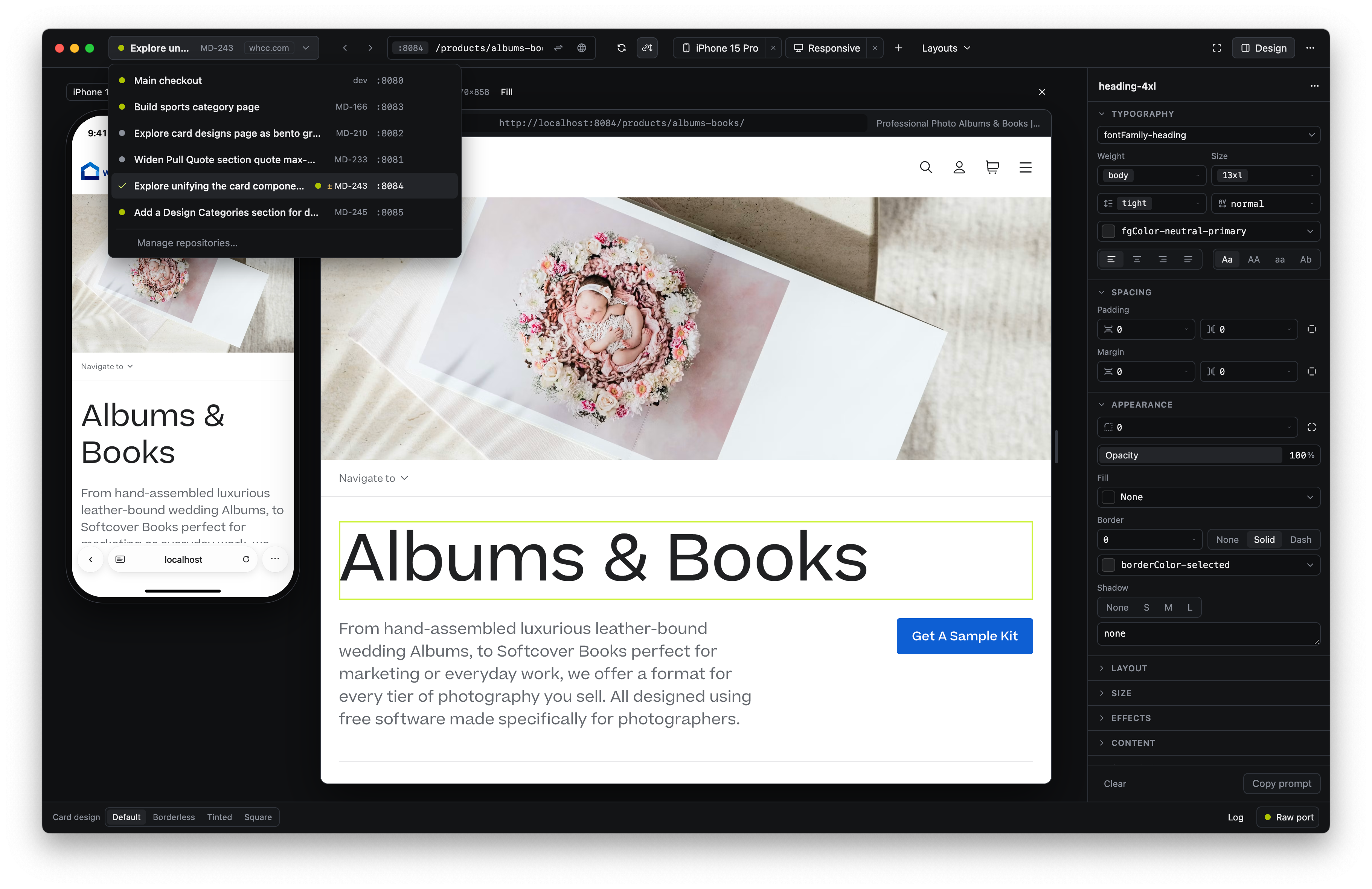
This year, AI assisted workflows have enabled us to deliver more, and building multiple pieces in parallel has become the norm. I built Treeswing for our team to help manage that. Beyond worktree and port management, it keeps links working across repos, turns visual edits into prompts, and displays design variants.
The Challenge
Maintaining design quality while moving faster
Agents changed how fast our team ships, and the backend engineers adapted to keep up. They run several git worktrees at once, and move between them as their agents work. Their tests pass or fail without anyone looking at a screen, so that workflow suited them. They built the workflow behind it: ask an agent for a new worktree and it gets created, assigned a port, and made discoverable.
Front-end was different. Several of our design engineers said the same thing: once you have four or five worktrees running, you are tracking which port belongs to which feature in your head. Every switch means finding the right localhost address again. Parallel work stopped helping at the point where you had to see the output.
I built Treeswing for that, then kept adding to it as I ran into the same problems in my own design work.
What It Does
Every running worktree in one switcher
The team's workflow assigns each worktree a port and makes it discoverable. Treeswing reads that and lists what is running, so switching features is a click instead of a lookup.
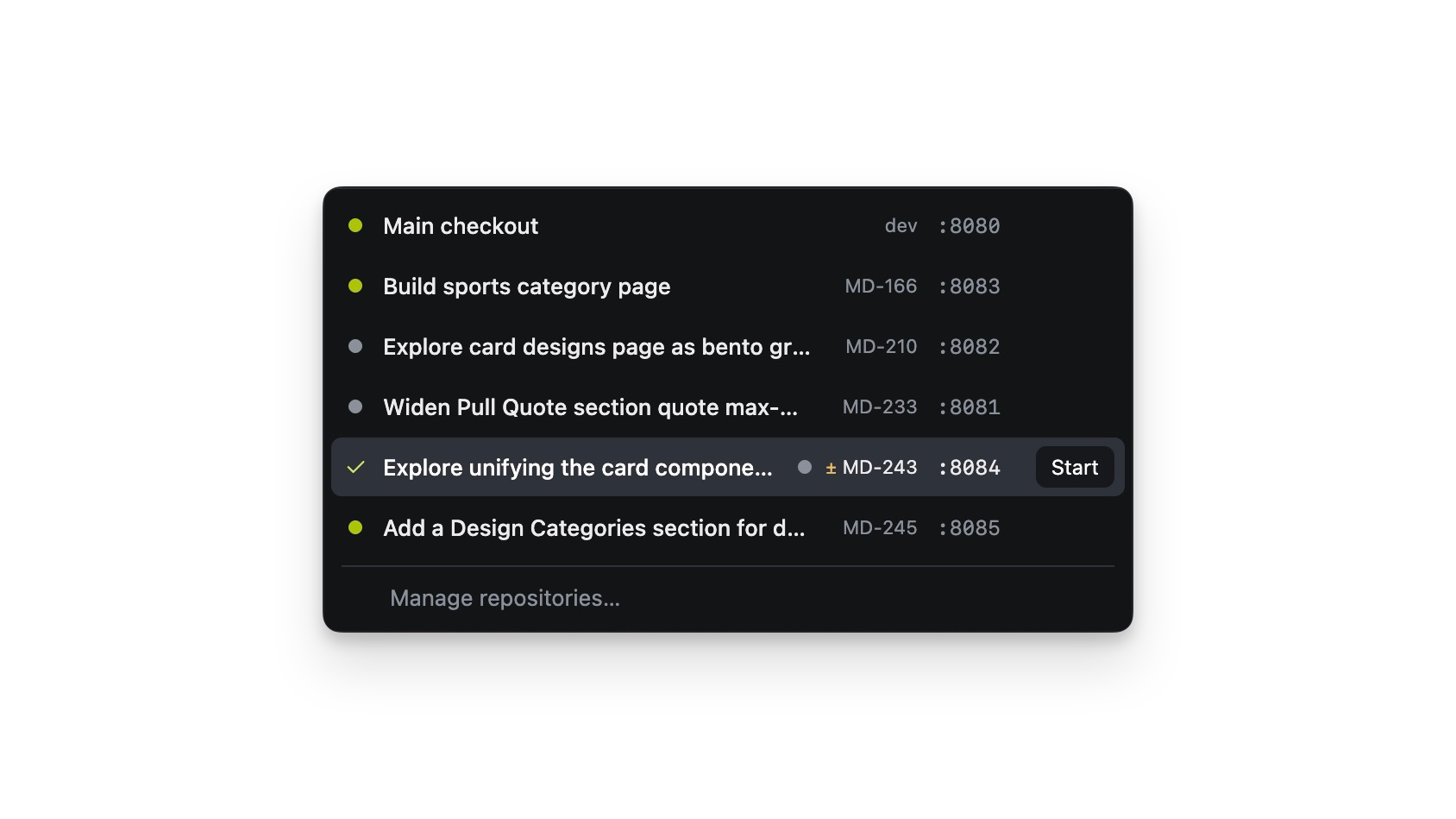
The switcher with 5 worktrees listed
Links that hold across repos
In production, a customer moves from the marketing site to their account to the product editor without noticing. For us those are separate repos, so locally the links 404 as soon as you cross one. My manager had built a tool that solves this. Treeswing installs it on first launch, shows every repo on the machine, and keeps navigation working across them.
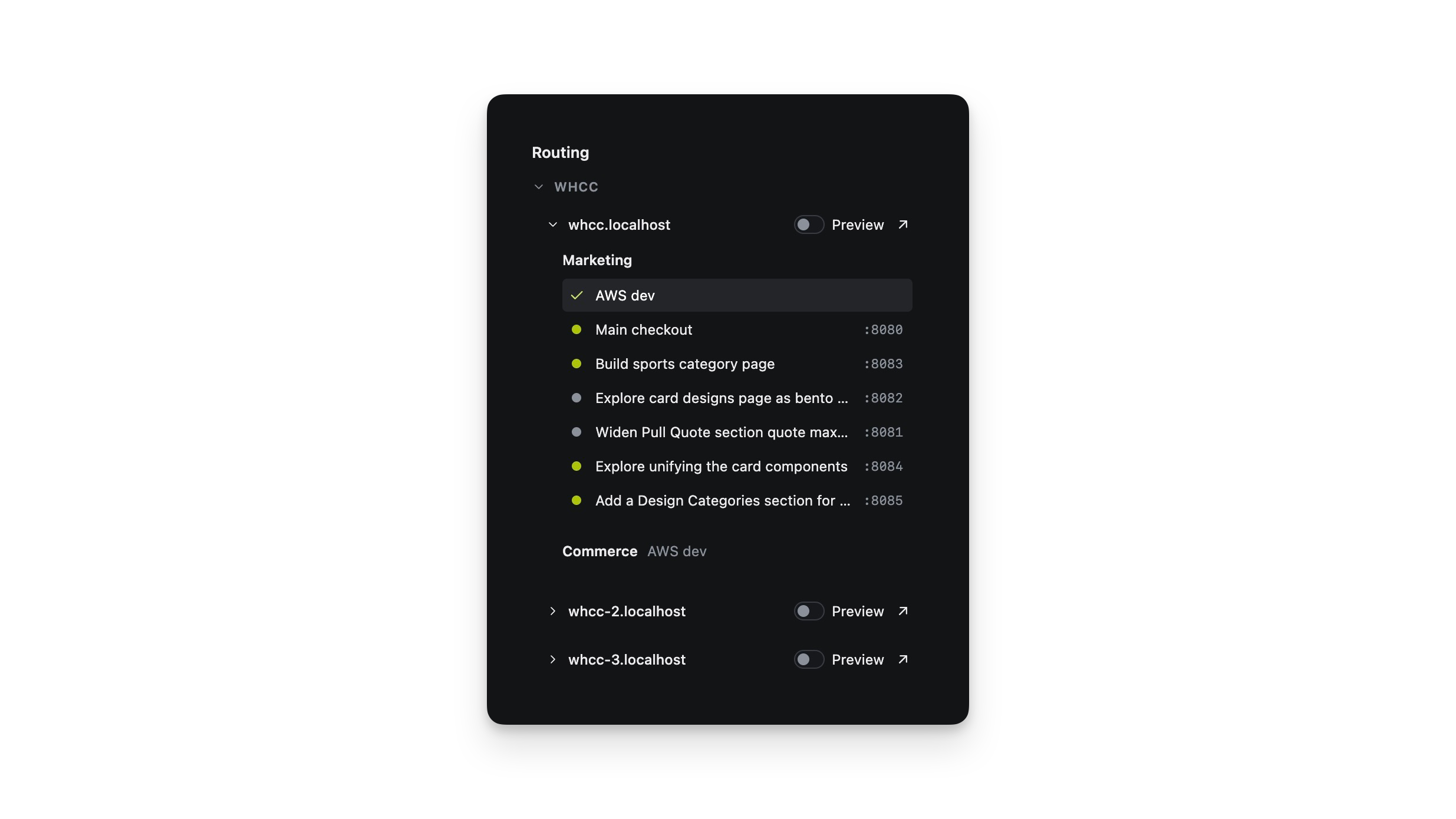
The repo list with connection status
Click an element, get a prompt
Sometimes I know exactly what I want: 4px more radius on a card, a different spacing value. Describing that to an agent in words means it hunts through the codebase working out what I meant. In Treeswing I click the element, make the change in a properties panel, and get a prompt naming the element and the value. The panel reads our repo's design tokens, so what the agent applies stays inside the design system instead of becoming a custom value.
Variants you can click through in a review
Before agent coding I would build three or four versions of a component to compare. Now I can ask an agent for them, but presenting them still means static comps. Treeswing installs an agent skill that writes a manifest describing the style differences across variants. The app reads it and renders a switcher, so in a review I click between options and the page updates in front of everyone.
TODO — video or GIF: clicking through three variants of one component.
TODO (optional) — screenshot: the manifest, to show the mechanism.
Three smaller things
Treeswing shows several viewports side by side, so I stopped resizing a window. Each change becomes a card I can annotate and scope to a breakpoint. A button swaps the page to production at the same scroll position, so comparing a change to what shipped is instant after the first load.
TODO — screenshot: one image covering these — side-by-side viewports with a change card open.
Decisions
Tokens come from the repo. The properties panel could emit any CSS value I type. Reading our own tokens means an agent applying my change builds to the design system rather than inventing a one-off value.
One skill, symlinked everywhere. On first launch Treeswing finds the agent skill directories on the machine and symlinks its skill into each. Whichever agent I am using can write the manifest, and there is one copy to keep current.
Most of this was built on what the team already had. Worktree discovery is their workflow; cross-repo navigation is my manager's tool. Treeswing reads one and installs the other.
The team started opening PRs the same day
I demoed Treeswing to the team. They started using it that day and began opening PRs against it. [N PRs from N engineers in the first week.] [N front-end engineers and designers use it now, across N repos.]
For my own work, [what changed — e.g. switching between features takes a click instead of a few minutes of port hunting, or: I presented four versions of a card live in a review instead of four static comps].
TODO (optional) — screenshot of the PR list or a teammate's message, if you can share it.
What it doesn't do yet
The viewports are approximate. I could have chased device-accurate rendering through a simulator, but I only needed enough context to tell whether a layout works at that width. [One more honest limit: the variant switcher only covers style changes an agent can describe in the manifest, or cross-repo navigation depends on which repos are present locally, or it is built around our stack rather than being general purpose.]
[One line on what is next, if there is something.]